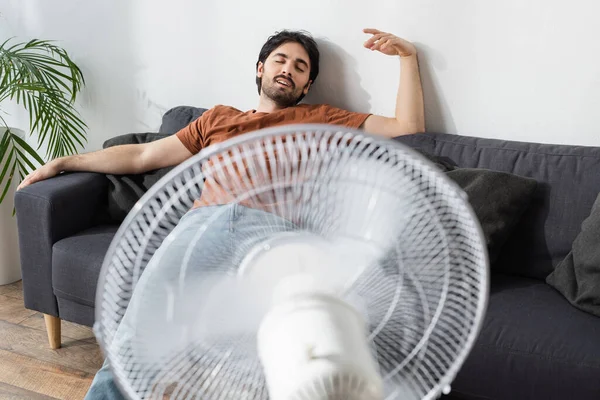
That moment of frustration is all too familiar. It’s a sweltering afternoon, you flip your trusty fan to its highest setting, and… nothing. Just a pathetic, gentle breeze that does little to combat the heat. If your fan is not blowing hard anymore, the most common cause is dust buildup on the blades and grilles, which can often be fixed with a thorough cleaning in under an hour, restoring its powerful airflow.
Why Is Your Fan So Weak? The Common Culprits
Before we can fix the problem, we need to play detective. Why has your fan lost its mojo? Nine times out of ten, the reason your fan not blowing hard anymore is surprisingly simple. It’s not a complex electrical failure, but a gradual build-up of everyday gunk.
The Dusty Duo: Caked-On Blades and Grilles
Think of your fan’s blades like the wings of an airplane. For them to work efficiently, they need a smooth, clean surface to slice through the air and push it forward. Over time, dust, pollen, pet dander, and other airborne particles stick to the leading edge of the blades.
“A significant layer of dust can alter the aerodynamic shape of a fan blade, drastically reducing its ability to move air. It’s not just an aesthetic issue; it’s a performance killer.” – David Chen, Senior Appliance Engineer.
This buildup adds weight and creates drag, forcing the motor to work harder just to produce a weaker breeze. The same goes for the front and back grilles (the cages). When they get clogged with dust and hair, they act like a screen, blocking the very air your fan is trying to push through.
Hidden Obstructions: The Case of the Tower Fan
Tower fans and some box fans have air intake vents, usually at the back. These are prime spots for dust bunnies and pet hair to accumulate, effectively suffocating the fan. If the fan can’t pull enough air in, it certainly can’t push much air out. This is a classic reason a tower fan not blowing hard anymore suddenly feels weak.
Mechanical Hiccups: Loose Parts or a Tired Motor
While less common, mechanical issues can be the cause. The nut or screw holding the fan blades to the motor’s spindle can sometimes work itself loose, causing the blades to wobble instead of spin efficiently. In older fans, the motor itself may simply be wearing out after years of service. You might hear a humming or grinding noise, which is a tell-tale sign of a motor in distress.
Your Step-by-Step Guide to Restoring Your Fan’s Power
Ready to get your hands a little dirty and bring that breeze back? Let’s do this. It’s easier than you think.
Safety First: Before you do anything else, unplug the fan from the wall outlet. Never attempt to clean or repair a fan while it’s connected to a power source.
- Disassembly (The Easy Part):
- Most pedestal, desk, and box fans have a grille that’s held on by clips or a single screw at the bottom. Unfasten these and carefully remove the front grille.
- The fan blade is usually attached to the motor spindle with a plastic cap. This cap typically unscrews in the opposite direction of the blade’s spin. So, if the blades spin clockwise, you’ll likely turn the cap counter-clockwise to loosen it. Look for an arrow or “loosen/tighten” text.
- Once the cap is off, slide the blade assembly straight off the spindle.
- Now, remove the rear grille. It’s often secured by a plastic locking nut around the motor housing. Unscrew this to release it.
- The Deep Clean:
- Take the grilles and the blade assembly to a sink or bathtub. Use warm, soapy water and a soft cloth or sponge to wipe away all the caked-on dust and grime. For tight spots in the grille, an old toothbrush works wonders.
- Rinse everything thoroughly and let it air dry completely. Do not reassemble the fan with wet parts, as this can be a safety hazard and lead to rust.
- Motor and Housing Maintenance:
- While the parts are drying, take a can of compressed air or a vacuum with a brush attachment and clean the motor housing. Pay close attention to any air vents to clear out dust that could cause overheating.
- Wipe down the fan’s body and base with a damp cloth.
- Reassembly and Testing:
- Once everything is bone dry, reassemble the fan in the reverse order you took it apart: rear grille, fan blade, blade cap, front grille.
- Make sure the blade cap and grille clips are secured firmly. A loose grille can rattle, and a loose blade is a performance killer.
- Plug your fan back in, turn it on, and feel the difference. You should notice a dramatic improvement in air circulation.
Knowing When to Say Goodbye: Is It Time for a New Fan?
Sometimes, a deep clean isn’t enough. If you’ve thoroughly cleaned your fan and it’s still weak, or if you notice any of these signs, it might be time to invest in a new cooling solution.
- Loud Grinding or Rattling Noises: This indicates a failing motor or broken internal components.
- The Motor Housing is Hot to the Touch: An overheating motor is a fire hazard and a clear sign of failure.
- Wobbling or Instability: If the fan wobbles excessively even on a flat surface, its internal balance may be off.
- Visible Damage: Cracked blades or a broken housing can’t be fixed safely.
If your fan is on its last legs, consider it an opportunity to upgrade. Modern fans offer incredible features like improved energy efficiency, quieter operation (measured in decibels), and smart controls. Look for a fan with a high CFM (Cubic Feet per Minute) rating, which is the standard measure of airflow. The higher the CFM, the more air it moves.
Frequently Asked Questions (FAQ)
How often should I clean my fan to keep it blowing hard?
Bảng trống.For optimal performance, a light dusting of the grilles every two weeks is a good habit. A full, deep clean as described above should be done at least twice a year—once before you start using it for the summer season and once before you store it away. If you have pets or live in a dusty area, you may need to do a deep clean more frequently.
Can a dirty fan use more electricity?
Yes, absolutely. When a fan’s blades and motor are caked in dust, the motor has to work much harder to spin the blades and push air. This increased strain draws more power, leading to higher energy consumption and a bigger electricity bill for a less effective cooling solution.
My tower fan is not blowing hard anymore, and I can’t take it apart. What do I do?
Tower fans can be tricky. Since they often can’t be disassembled easily, your best tools are a vacuum cleaner with a brush and crevice attachment, and a can of compressed air. Unplug the fan and thoroughly vacuum the intake and outtake grilles. Use compressed air to blow out dust from deep inside the vents. This often dislodges enough buildup to significantly improve airflow.
What does CFM mean for an electric fan?
CFM stands for Cubic Feet per Minute. It’s a measurement of the volume of air a fan can move in one minute. A higher CFM rating means a more powerful fan that’s better at air circulation in larger rooms. It’s one of the most important specs to look at when comparing new fans.
Is it safe to lubricate my fan’s motor?
In most cases, no. Modern fan motors are typically sealed and self-lubricating for their entire lifespan. Attempting to add oil can attract more dust and potentially damage the motor’s internal workings. If you suspect a lubrication issue is the reason your fan not blowing hard anymore, it’s a sign the motor is failing and the fan should be replaced.
The Final Breeze
There you have it. The mystery of the weak fan is usually no mystery at all—just a simple case of dust buildup. By taking 30 minutes to give your fan a proper cleaning, you not only restore its power but also improve your home’s air quality and increase the fan’s energy efficiency. So next time you feel that disappointing breeze, don’t sweat it. Just unplug it, clean it, and get ready to enjoy that powerful, cooling blast you’ve been missing. We hope this guide helps you solve the problem of a fan not blowing hard anymore and keeps you cool all season long.
Frequently Asked Questions
How often should I clean my fan to keep it blowing hard?
For optimal performance, dust the grilles every two weeks. A full, deep clean should be performed at least twice a year, typically before and after the summer season. Fans in dusty environments or homes with pets may require more frequent deep cleaning.
Can a dirty fan use more electricity?
Yes, a dirty fan can use more electricity. When dust accumulates on blades and the motor, the motor must work harder to move air, increasing power consumption. This leads to higher energy bills for less effective cooling.
My tower fan is not blowing hard anymore, and I can't take it apart. What do I do?
For tower fans that cannot be easily disassembled, use a vacuum cleaner with brush and crevice attachments, along with compressed air. Unplug the fan, then thoroughly vacuum the intake and outtake grilles. Use compressed air to dislodge dust from deep within the vents, which often significantly improves airflow.
What does CFM mean for an electric fan?
CFM stands for Cubic Feet per Minute, which measures the volume of air a fan moves in one minute. A higher CFM rating indicates a more powerful fan capable of better air circulation in larger rooms. This is a key specification to consider when purchasing a new fan.
Is it safe to lubricate my fan's motor?
No, in most cases, it is not safe to lubricate a modern fan's motor. Most contemporary fan motors are sealed and self-lubricating for their entire lifespan. Adding oil can attract more dust and potentially damage the motor's internal components, indicating that if lubrication is suspected as an issue, the motor is likely failing and the fan should be replaced.
Restore Your Fan's Power with a Deep Clean
Follow these steps to clean your fan and restore its powerful airflow, typically resolving issues with a fan not blowing hard anymore.
First, unplug the fan from the wall outlet for safety. Remove the front grille by unfastening clips or screws. Then, unscrew the plastic cap holding the fan blade to the motor spindle (usually opposite to blade spin direction) and slide the blade off. Finally, remove the rear grille by unscrewing its locking nut.
Take the grilles and blade assembly to a sink. Use warm, soapy water and a soft cloth or old toothbrush to thoroughly clean off all dust and grime. Rinse all parts completely and allow them to air dry fully before reassembly to prevent rust and safety hazards.
While parts are drying, use compressed air or a vacuum with a brush attachment to clean the motor housing, focusing on air vents to remove dust that could cause overheating. Wipe down the fan's body and base with a damp cloth to remove any remaining dust.
Once all parts are completely dry, reassemble the fan in reverse order: rear grille, fan blade, blade cap, and front grille. Ensure all caps and clips are firmly secured to prevent rattling or reduced performance. Plug the fan back in, turn it on, and check for improved air circulation.
Get our weekly buyer guide
Practical specs, not advice. Unsubscribe anytime.
I was ready to toss my old box fan because it felt like it was just stirring the air, not actually moving it. The tip about cleaning the caked-on dust from the blades and grilles was a game-changer. It took me less than 30 minutes, and now it’s blowing like it’s brand new. So glad I didn’t buy a new one!
I tried cleaning my fan’s blades and grilles as suggested, and while it helped a little, my fan is still not blowing hard anymore. I think my issue might be more than just dust, maybe something with the motor. It’s an older model, so I might just need to invest in a new one soon.
My oscillating tower fan was getting really weak, and I thought it was just old age. I followed the advice to check for dust buildup, and wow, it was gross! After a good clean, the airflow improved significantly. It’s not quite as powerful as the day I bought it, but it’s definitely much better than before.
Seriously, this saved me from buying a new fan! My bedroom fan was barely pushing any air, and I was getting so frustrated. The detailed explanation about how dust affects the efficiency of the blades made so much sense. A quick cleaning session, and now my room is cool again. Highly recommend trying these fixes before replacing your fan.