We’ve all been there. It’s the middle of a sweltering afternoon, the air is thick and still, and you reach for the one thing that promises relief: your trusty electric fan. You press the button… and nothing happens. The silence is more frustrating than the heat. Before you start sweating—both from the temperature and the thought of a costly repair or replacement—take a deep breath. Learning How To Fix A Fan That Wont Turn On is often simpler than you think. In many cases, a few basic checks and a little bit of DIY spirit are all you need to get that cooling breeze flowing again. This guide will walk you through the troubleshooting process, from the ridiculously simple fixes to the slightly more involved steps, empowering you to become your own household hero.
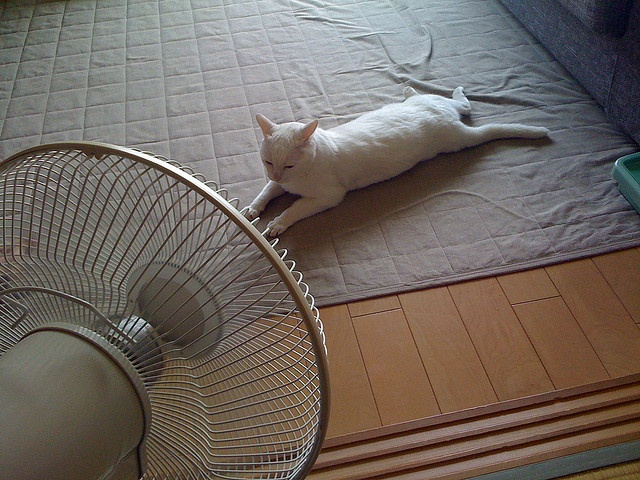
Before You Start: Safety is King
Listen, I get it. You’re eager to get that air moving. But before we touch a single part of that fan, let’s talk about the golden rule of any electrical repair: unplug the device. I mean it. Go to the wall outlet and physically pull the plug out. Don’t just rely on the power button. This isn’t just a suggestion; it’s the most critical step to ensure you don’t get an electric shock. Safety first, cool air second.
Level 1: The Obvious Culprits
You’d be surprised how often the problem is something incredibly simple. Let’s knock these out first before we start thinking about taking things apart. It’s like when your internet is out; the first thing tech support asks is, “Is it plugged in?”
- Check the Power Source: Is the outlet itself working? Plug a lamp or your phone charger into the same socket. If that device doesn’t work either, you’ve found your problem! It’s likely a tripped circuit breaker or a blown fuse in your home’s main electrical panel.
- Inspect the Power Cord: Give the entire length of the power cord a once-over. Are there any visible signs of damage, like fraying, chew marks from a pet, or a heavy piece of furniture crushing it? A damaged cord is a serious fire hazard and the likely reason your fan has no power. If the cord is damaged, it needs to be replaced.
- The “Jiggle” Test: Sometimes, the connection inside the plug or where the cord enters the fan base can become loose over time. With the fan still unplugged, gently jiggle the cord at both ends to see if anything feels unusually loose.
“In my 15 years as an appliance repair technician, I’d say a good 30% of ‘dead fan’ calls are resolved by simply checking the wall outlet and the circuit breaker. Always start with the simplest solution.” – David Chen, Certified Appliance Technician.
Level 2 Troubleshooting: How to Fix a Fan That Wont Turn On
If the simple checks didn’t work, it’s time to roll up our sleeves. Don’t be intimidated! The inside of a fan is less complicated than it looks. You’ll likely only need a screwdriver for this part.
Is Something Blocking the Blades?
This is a common issue, especially with box fans or pedestal fans that have protective grilles.
- Problem: Hair, dust bunnies, and other debris can get wrapped around the base of the blades, right where they meet the motor housing. Over time, this buildup can become so dense that it physically prevents the motor from spinning.
- Solution:
- Ensure the fan is unplugged.
- Carefully remove the front grille. Most are held on by clips or a few small screws.
- Try to spin the blades by hand. Do they move freely, or do they feel stiff and resistant?
- If they’re stiff, look closely at the motor spindle (the metal pin the blades are attached to). Use tweezers or small pliers to pull out any tangled hair and debris. A good cleaning can often solve the problem instantly.
The Thermal Fuse: An Overheating Failsafe
Think of the thermal fuse as a tiny, heroic bodyguard for your fan’s motor. Its one and only job is to blow and cut off power if the motor starts to dangerously overheat, preventing a potential fire.
- Why it fails: The most common reason a motor overheats is a lack of lubrication and a buildup of dust, which makes it work harder. After years of service, the fuse can simply blow.
- How to check (requires a multimeter): This is a bit more advanced. The thermal fuse is a small component, usually wrapped in heat-shrink tubing, located near the motor windings. You would need to open the motor housing, locate the fuse, and test its continuity with a multimeter. If the multimeter doesn’t beep, the fuse is blown and needs to be replaced. For most people, if you suspect a blown fuse, it might be time to consider a professional or a new fan, as sourcing and replacing the exact fuse can be tricky.
A Seized Motor Shaft
Over time, the lubrication inside the motor bearings can dry up. This causes friction, which can eventually lead to the motor shaft getting “stuck” or seizing.
- Symptoms: You might hear a faint humming or buzzing sound when you turn the fan on, but the blades don’t move.
- Solution:
- With the fan unplugged and the grilles off, you’ll need to access the motor.
- Locate the small metal shafts protruding from the front and back of the motor housing.
- Apply a few drops of an electric motor oil or a 3-in-1 oil directly onto the shafts where they enter the bearings. Do not use WD-40, as it’s a solvent, not a long-term lubricant.
- Manually spin the blades back and forth for a few minutes to work the oil into the bearings. You should feel it start to loosen up.
Prevention is Better Than a Cure: Regular Fan Maintenance
Once you’ve brought your fan back to life, you’ll want to keep it that way. The single best thing you can do for any cooling solution is to keep it clean. A clean fan is an efficient and long-lasting fan.
Your Monthly Fan Maintenance Checklist:
- [ ] Unplug the fan.
- [ ] Remove the grilles and wipe them down with a damp cloth.
- [ ] Use a soft brush or a vacuum cleaner with a brush attachment to gently clean the fan blades.
- [ ] Use compressed air to blow out dust from the motor housing vents (the little slits on the plastic case around the motor). This is crucial for preventing overheating.
- [ ] Wipe down the base and stand.
Regular cleaning not only improves air circulation but also extends the life of the motor significantly, contributing to better energy efficiency.
Knowing When to Say Goodbye
Let’s be real. Sometimes, a fan is simply at the end of its life. If you see burn marks on the motor housing, smell a strong electrical burning odor, or if the repair involves complex wiring, it’s safer and often more economical to invest in a new one. Modern fans come with fantastic features and are more energy-efficient than older models.
Bảng trống.When choosing a new fan, consider the following:
- Type: Do you need a powerful pedestal fan for a large living room, a quiet tower fan for the bedroom, or a compact box fan?
- Noise Level: Look for models advertised as “quiet” or “silent,” especially for sleeping areas.
- Features: Remote controls, timers, and different speed settings can add a lot of convenience.
- CFM (Cubic Feet per Minute): This rating tells you how much air the fan can move. A higher CFM means more powerful airflow.
A good quality fan is an investment in your comfort. By learning a few simple troubleshooting steps, you can save money and reduce waste. The next time a fan gives up the ghost, you’ll know exactly how to fix a fan that wont turn on.
Frequently Asked Questions (FAQ)
Why did my fan suddenly stop working?
The most common reasons are a tripped circuit breaker at home, a blown internal thermal fuse due to overheating, or a physical obstruction jamming the blades. Start by checking the power outlet before inspecting the fan itself.
Is it worth it to fix an old fan?
If the fix is simple, like cleaning a blocked motor shaft or replacing a power cord, it’s absolutely worth it. However, if the motor itself has burned out, the cost and effort of replacement often outweigh the price of a new, more energy-efficient fan.
Can a faulty fan be a fire hazard?
Yes. An overheating motor or a damaged power cord can be a significant fire risk. If you smell burning plastic or see smoke, unplug the fan immediately and do not use it again. Regular cleaning to prevent dust buildup on the motor is a key safety measure.
How often should I clean my electric fan?
For optimal performance and safety, a light dusting every week and a deep clean (taking the grilles off) once a month during periods of heavy use is recommended. If you live in a dusty environment or have pets, you may need to clean it more frequently.
What kind of oil should I use to lubricate a fan motor?
You should use a lubricant specifically designed for electric motors, often labeled as “electric motor oil,” or a general-purpose 3-in-1 oil. Avoid using penetrating oils like WD-40 for lubrication, as they can evaporate and leave no lubricating film behind.